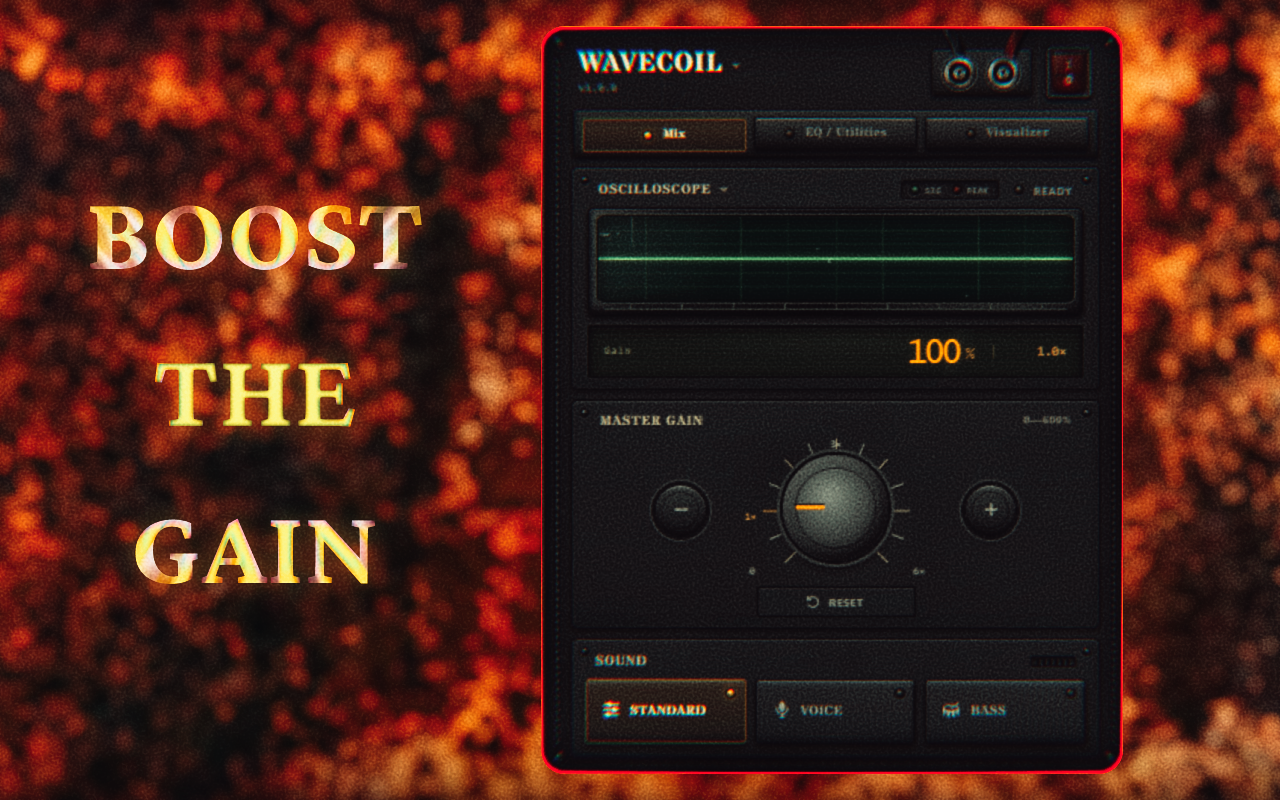
0–600% volume
Adjust tab volume in precise 10% steps.
Chrome extension
Control tab volume, shape your sound with a 3-band EQ, and use ten live visualizers.
Adjust tab volume in precise 10% steps.
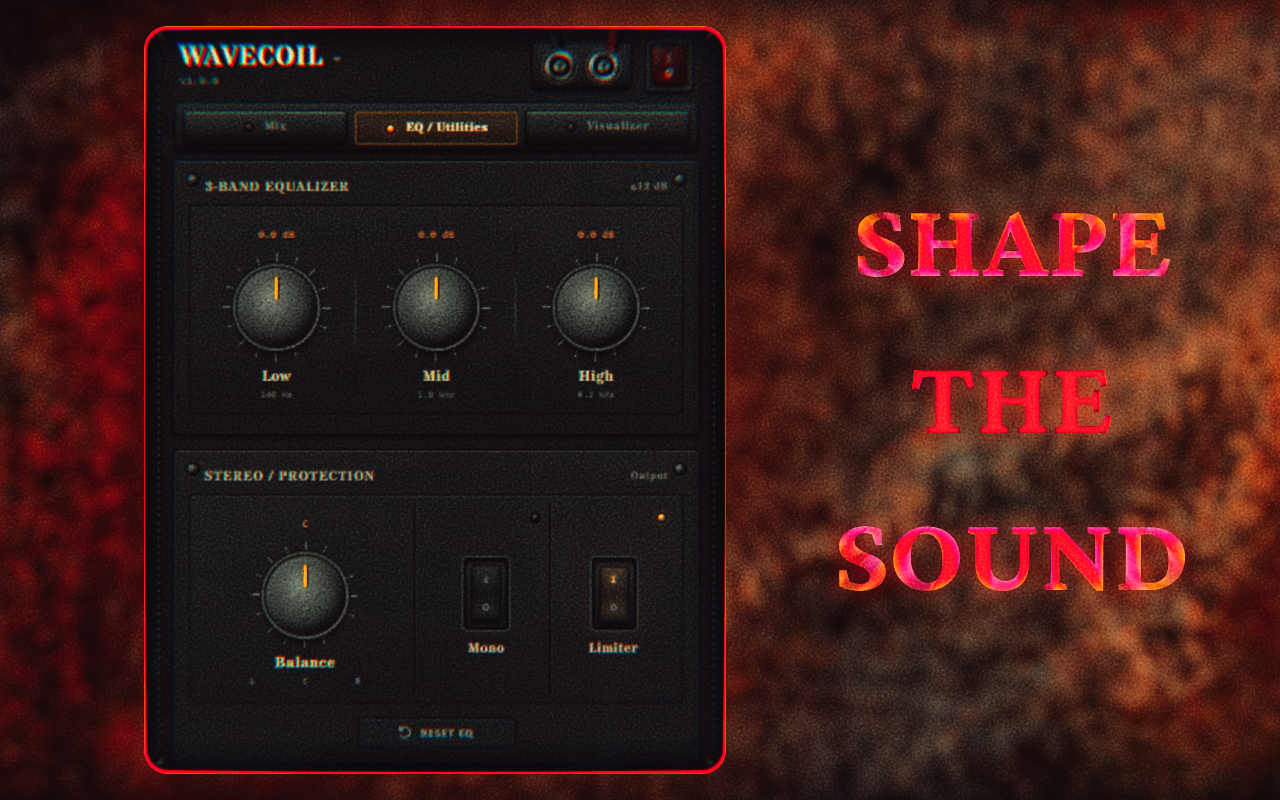
Sound profiles or manual control up to ±12 dB.
Balance, mono output, and an optional limiter.
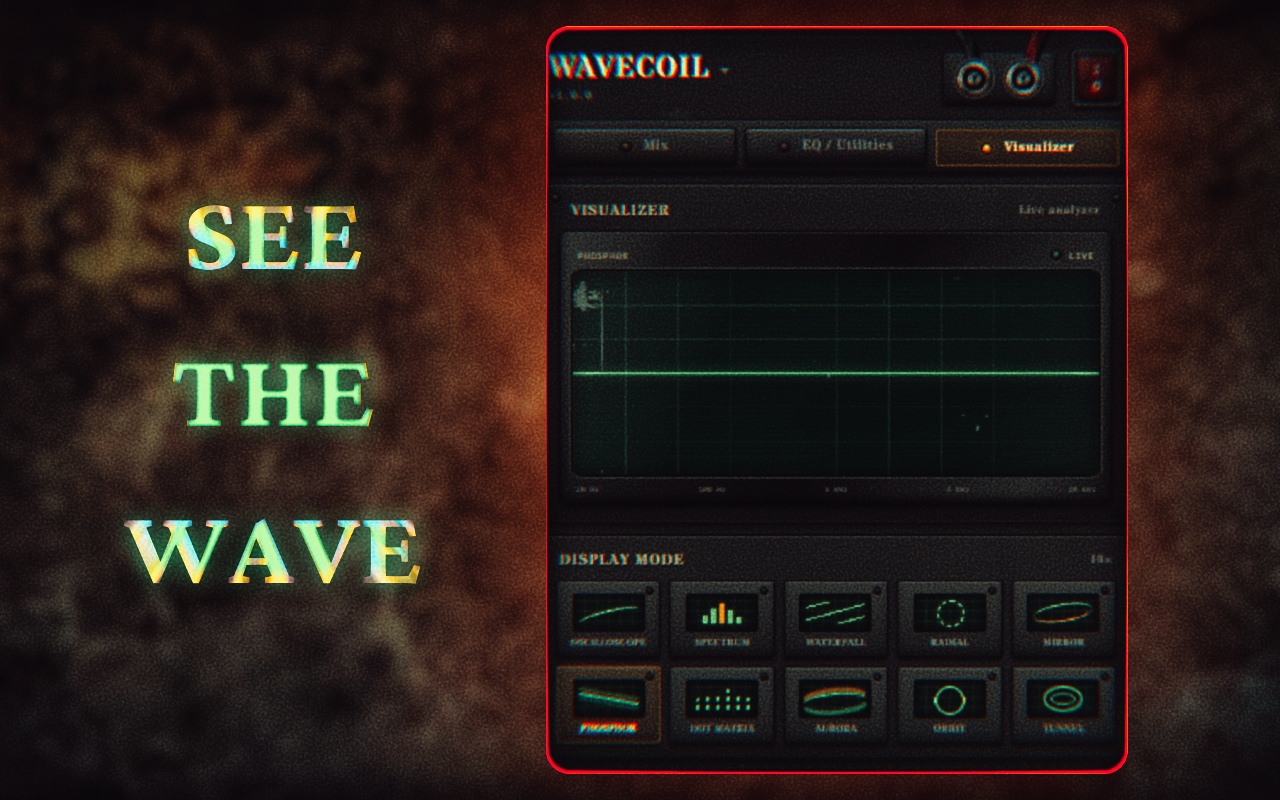
Live waveform, spectrum, and more.
PRIVACY POLICY / EFFECTIVE 24 AUGUST 2026
After an explicit user action, WAVECOIL temporarily processes the audio stream of the selected browser tab to provide volume, equalizer, balance, mono, limiter, metering, and visualization functions. Tab audio may contain website content. It is never recorded, uploaded, transmitted to the developer, sold, or shared with third parties.
WAVECOIL does not read or store the tab's URL, domain, page title, favicon, page content, browsing history, form input, or personal communications. A temporary numeric tab identifier only associates settings with the correct open tab and is removed when that tab closes.
chrome.storage.local stores the chosen volume, sound profile, equalizer values, stereo balance, mono and limiter settings, interface language, last control page, selected visualizer modes, and the most recently used audio configuration.
These preferences stay on the user's device until replaced, cleared through Chrome, or removed when WAVECOIL is uninstalled. Per-tab entries are deleted when their associated tabs close.
WAVECOIL requests no host permissions, injects no content scripts, and loads no remote executable code.
WAVECOIL has no developer-operated backend, account system, advertising, analytics, or third-party tracking SDK. No processed audio or locally stored setting is transferred to the developer or another party, and no human reads it.
Information obtained through Chrome APIs is used only to provide WAVECOIL's visible, single-purpose tab-audio controls. It is not used for advertising, profiling, credit decisions, or unrelated purposes. This use complies with the Chrome Web Store User Data Policy, including its Limited Use requirements.